 Power Manager 5.15.0
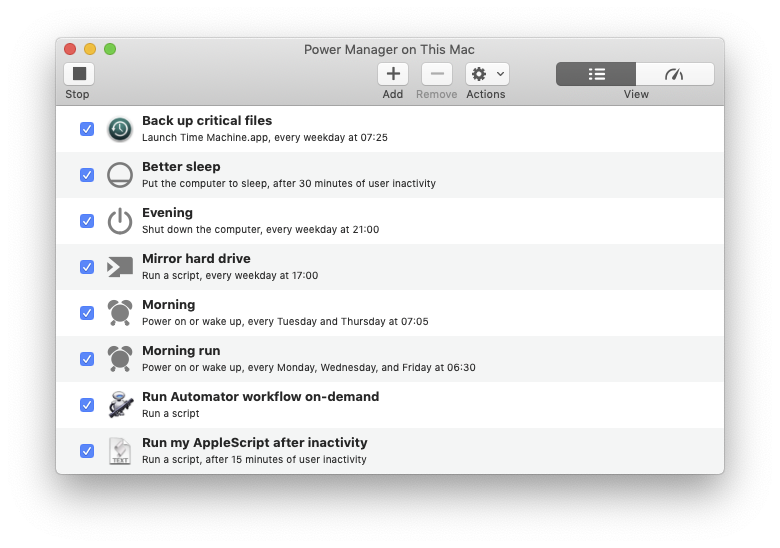
Power Manager for Mac can power on a Mac, run a series of tasks, and power off the Mac without requiring any interaction. With Power Manager you can create sophisticated energy saving schedules and automate complex tasks.
An energy saving schedule is created from events. Events are at the heart of Power Manager. An event encapsulates three things: triggers, conditions, and actions.
An event might tell the computer to perform a particular action at a specific time. You can create separate events to power on your Mac at different times across the day or week. By creating multiple events, you build a unique schedule for your needs.
Events can be as simple as putting the Mac to sleep after a period of inactivity; or as complex as powering on your Mac, waiting for a user to log-in, and only then running an AppleScript or Automator workflow.


Related Downloads
 3D fileSpace 1.5.5
 A Better Finder Rename 12.36
 AirServer 7.2.7
 Alarm Clock Pro 15.9.3
 Alfred 5.8.1
 Amphetamine 5.3.2
 AnyDroid 7.5.2
 App Cleaner & Uninstaller 10.0.2